



Inventory Sync
Automate stock updates between Shopify and Odoo to ensure accurate inventory, reduce errors, and maintain full control across channels.
Automated Scheduler Updates
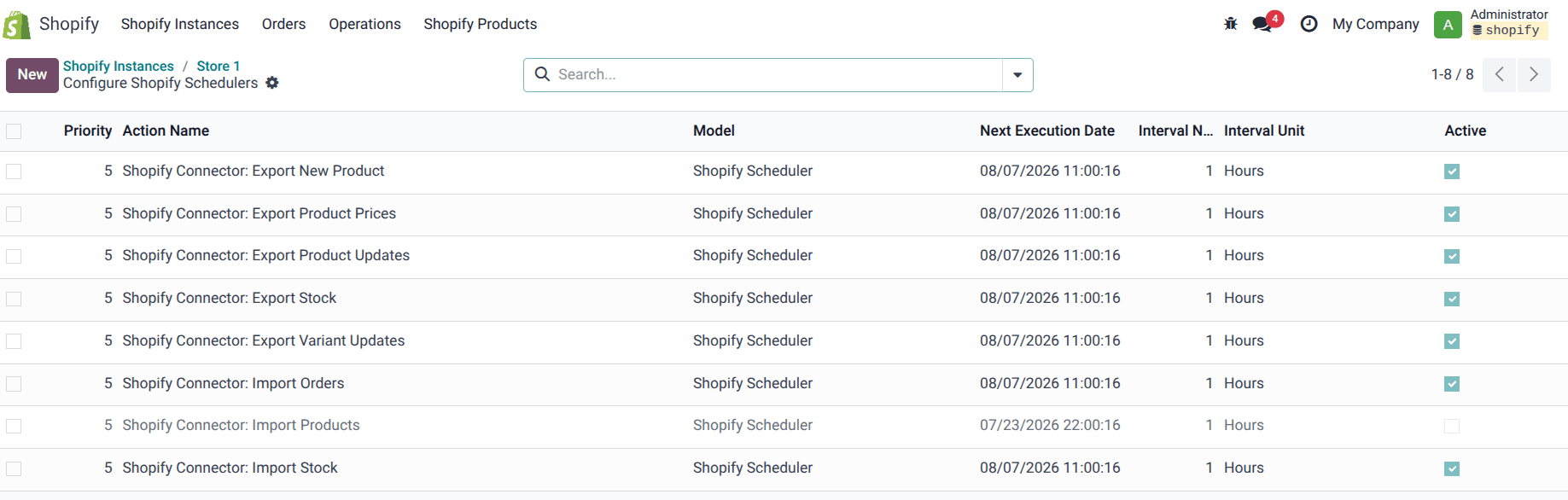
Set up schedulers to run stock sync at defined intervals, it helps with timely sync of the products, prices, stocks - import and export operations. Schedulers interval can be adjusted to meet one's need for the sync of operations.
Accurate Product Mapping (SKU/Barcode)
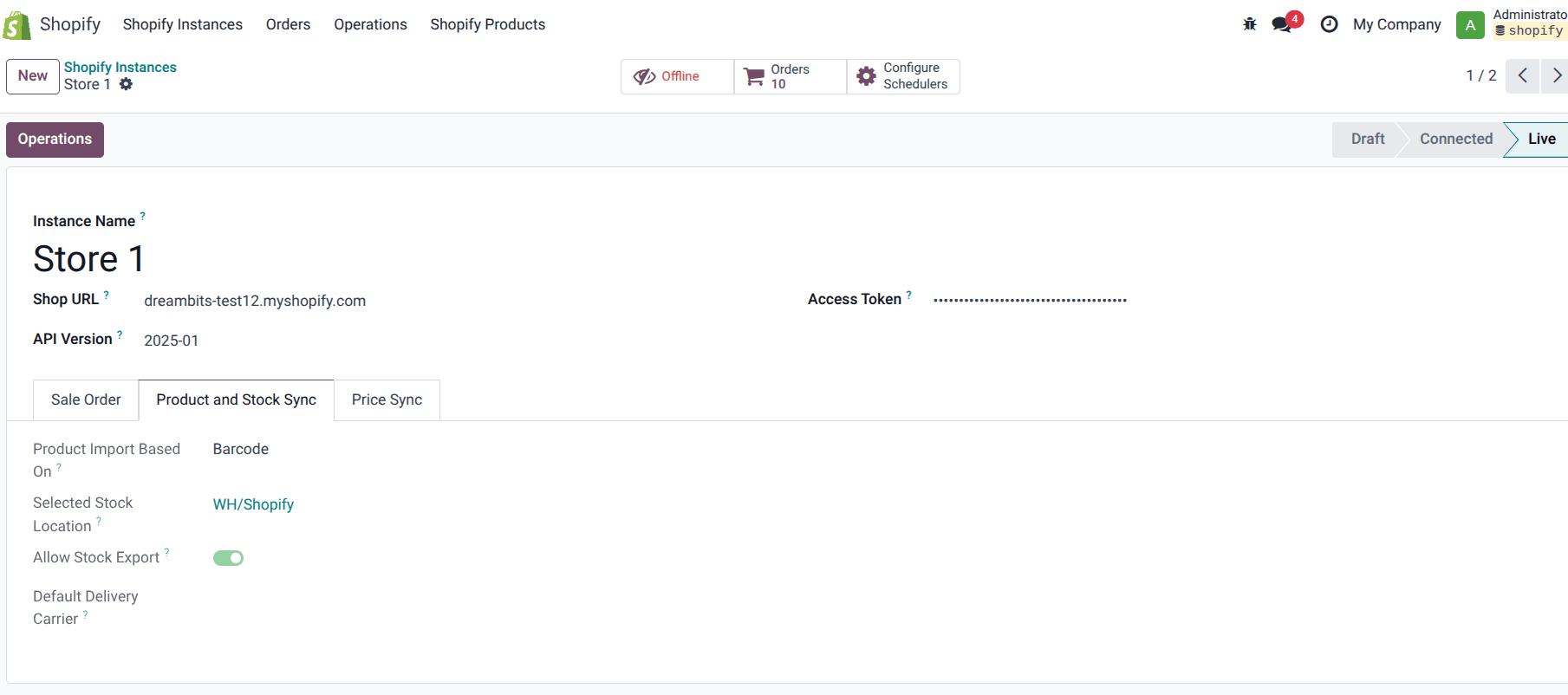
Product Import can be performed using either based on SKU or Barcode, such option gives flexibility to user to sync product as per the norm they are having for the business, let it be SKU or Barcode.
Job Queue & Sync Monitoring
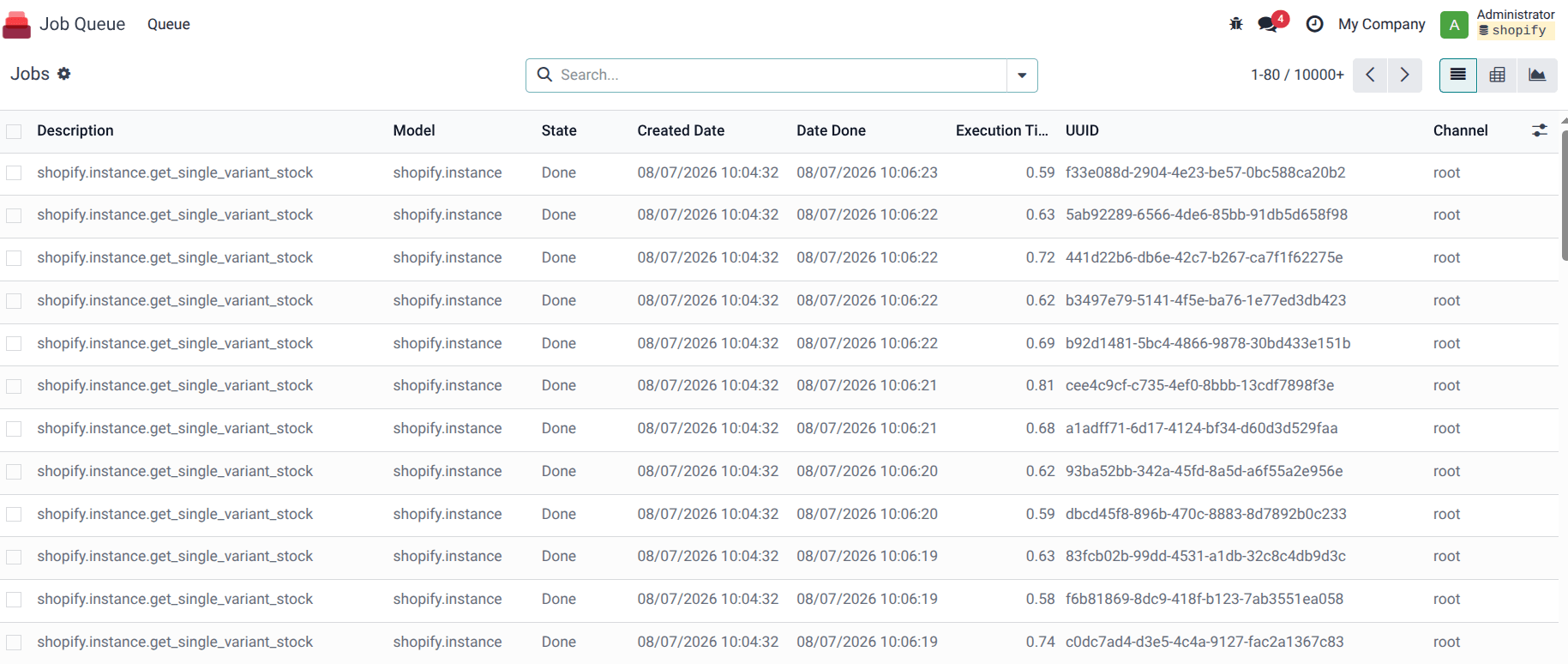
Track all stock operations with a job queue, with the job queue you can track the status wise performance of the functions, easily check and failed queue with the description and time stamp which helps identify issue faster and in turn makes the resolution faster.
Stock Export & Import Flexibility
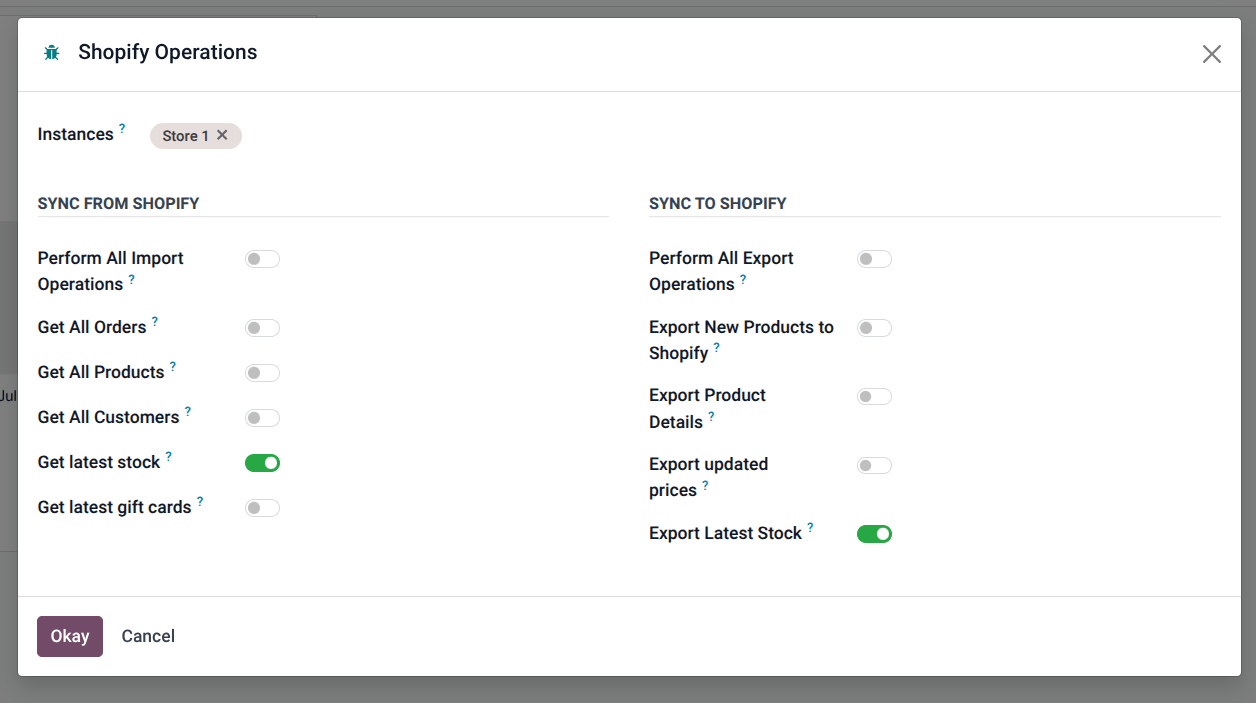
In addition to the schedulers, you have a manual control as well on Import and Export operations, apart from the schdulers whenever you feel the need to perform the export and import function, you can easily do it with one click, with information about last function performed.
What this looks like in practice
Odoo holds the true stock figure and pushes it out, so every channel reads from one number rather than several drifting copies. The figure pushed to Shopify is what you can actually sell once allocations and reservations are accounted for, not a raw on-hand count that oversells the moment two orders race.
Multi-warehouse and multi-location setups map explicitly to each storefront, so a store shows the stock it can actually fulfil from rather than a global total it can't. Fast-moving lines sync more often than slow ones, concentrating the protection where oversell risk is real without hammering the API needlessly, and optional buffers hold back a margin on thin lines to absorb the small timing gaps inherent in any sync.
Scheduled checks compare the numbers across systems and surface drift, with the records behind it, so a discrepancy becomes a caught exception rather than a customer complaint. The connector also respects Odoo's bill-of-materials and kit logic, so component stock drives availability rather than treating a bundle as an independent SKU that lies about what's really in the warehouse.
How it's delivered
If you're already on Odoo, inventory sync is installed and configured for your stores from £899, with sync frequency and buffers set to match how fast your lines actually move. Most clients take it inside a full Odoo implementation instead, delivered in roughly 6 to 10 weeks, so stock control and the rest of the system go live together.
Either way, stock levels are reconciled against real data on staging before anything touches production, and we keep checking Shopify and Odoo against each other until the numbers agree. A support retainer can then watch sync health and stock drift after go-live, catching the exception before it becomes an oversold order.
Common questions
What causes stock drift even with a connector?
How do bundles and kits sync?
Does POS stock deduct in real time?
Ready to fix your ops?
Book a free discovery call. We'll look at your current setup and tell you honestly whether Odoo is the right move and what it would involve.